01
Define the facility
Turn governed requirements and room data into capacity, process flows, coordinated room relationships and conceptual layouts.

Live in production with a pharma EPC consultancy
From design basis to compliant drawings in days, not months. Generate early-stage layouts, validate every drawing with the exact clause cited, and take FEED to an approval-ready decision.
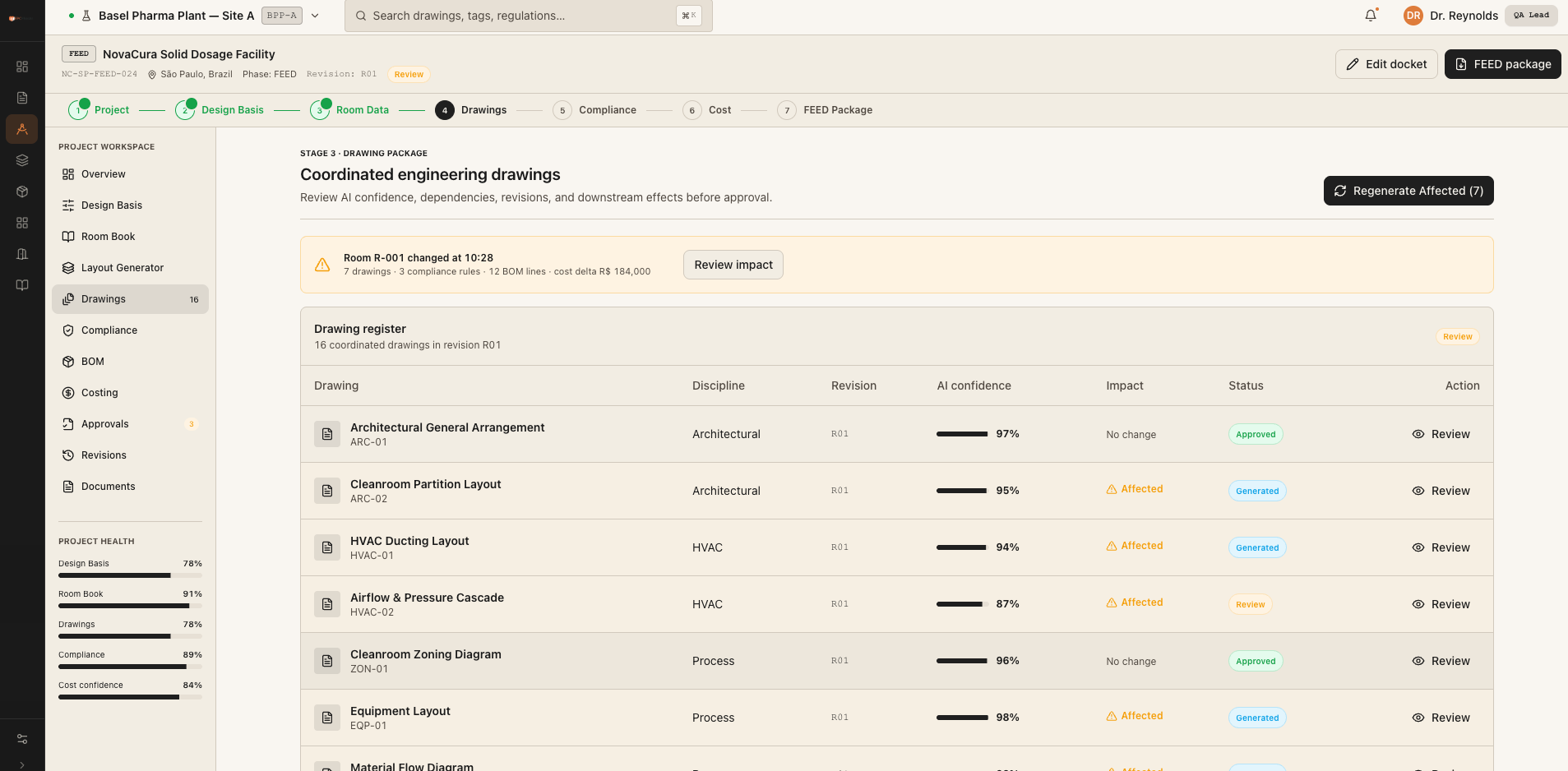
15–18
Detailed FEED layouts in hours
20–30
Primary drawings or engineering views
Exact
Clause cited for each verdict
Human
Engineer approval at every gate
Front-End Engineering Design turns a business requirement into a sufficiently defined manufacturing facility—what will be built, its capacity, how it will operate, what it may cost and where the main execution risks sit.
Turn governed requirements and room data into capacity, process flows, coordinated room relationships and conceptual layouts.
Develop process, building and utilities as one connected design, checked against project rules and regulatory standards.
Structure quantities, scope and cost assumptions into an approval-ready basis for an informed investment decision.
Compare options, expose compliance gaps and trace changes before procurement, detailed engineering and construction begin.
Capacity · product · process brief
Scope · compliance · cost basis
Proceed to detailed engineering
A well-defined FEED package gives owners the technical and financial basis to decide whether to proceed—and gives engineering teams a controlled starting point for the contracts and design work that follow.
Engineers turn the URS, room data and client standards into layouts, discipline by discipline.
A client change restarts the loop and can create drift across connected drawings and schedules.
Each issue is checked manually against internal, project and regulatory standards.
Scope, quantities, assumptions and compliance evidence are rebuilt for sign-off.
Flux AI connects both loops: generate from one governed design basis, then validate every output with a source-linked verdict.
Flux AI reads the files engineering teams already produce, grounds every check in the right references and returns evidence an engineer can inspect.
P&IDs, HVAC, GA layouts, vendor files and BOQs.
Project rules, client specifications, codes and Room Data Sheets.
Extraction, validation, comparison and engineer review gates.
Cited verdicts, deviations, BOMs and approval evidence.
Start with structured room requirements, then generate, validate, quantify, estimate and source from the same controlled engineering context. Visualisation and cited knowledge stay available across every stage.
Create, manage and analyse structured room-level engineering data, turning the project brief into a governed room register and design basis.
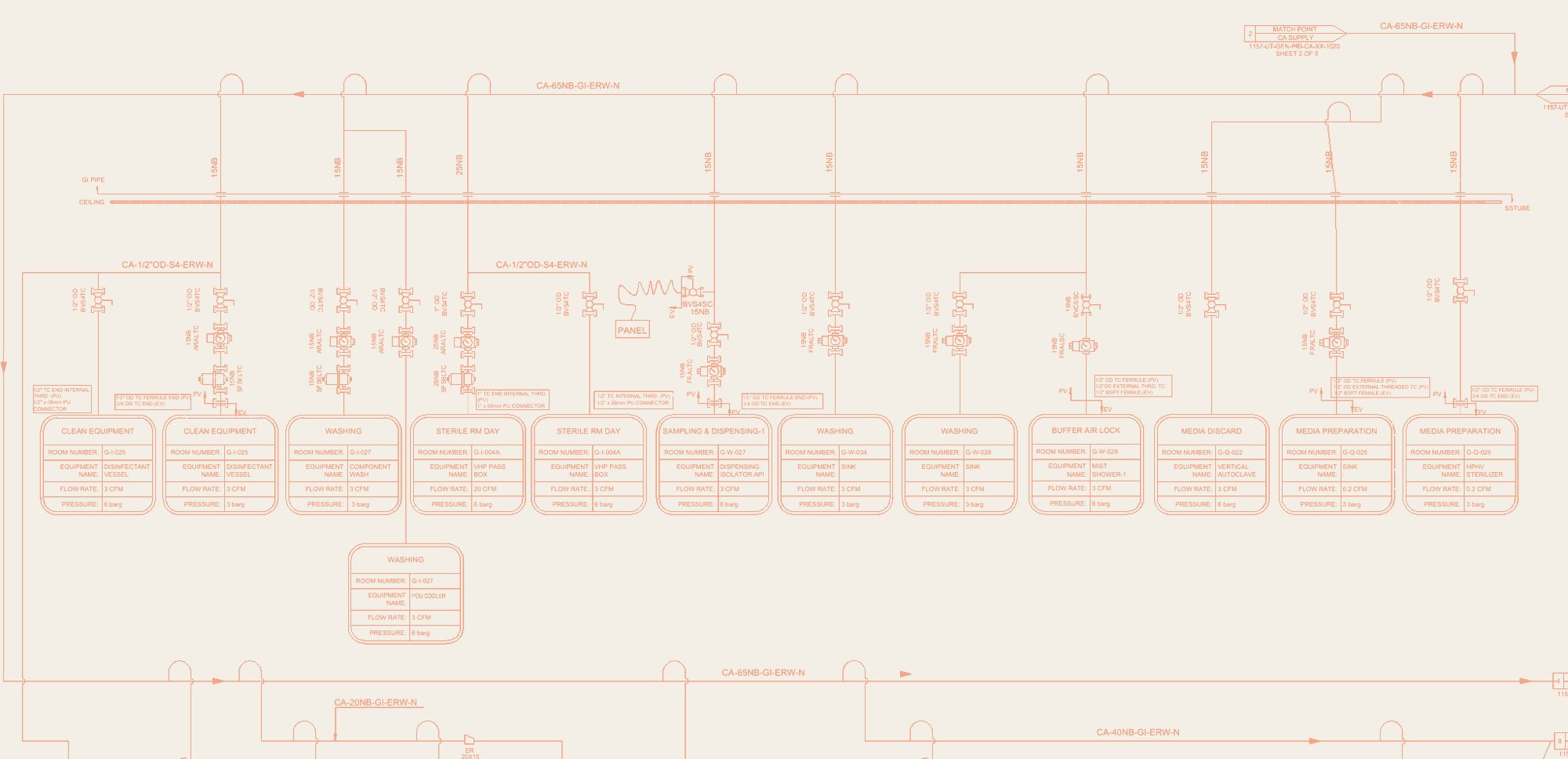
Generate coordinated engineering layouts from structured project inputs, room data and design requirements, with connected drawing outputs.
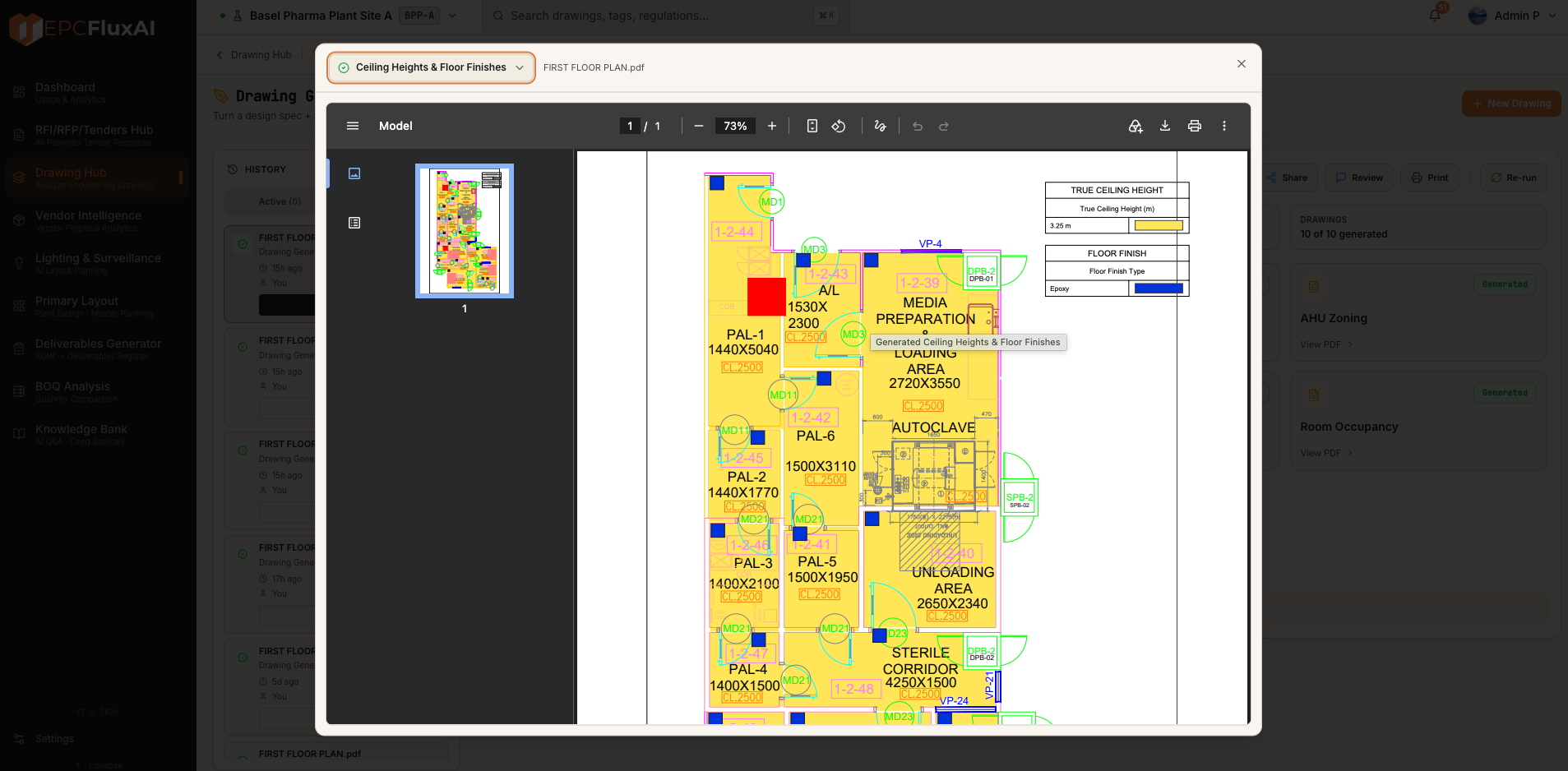
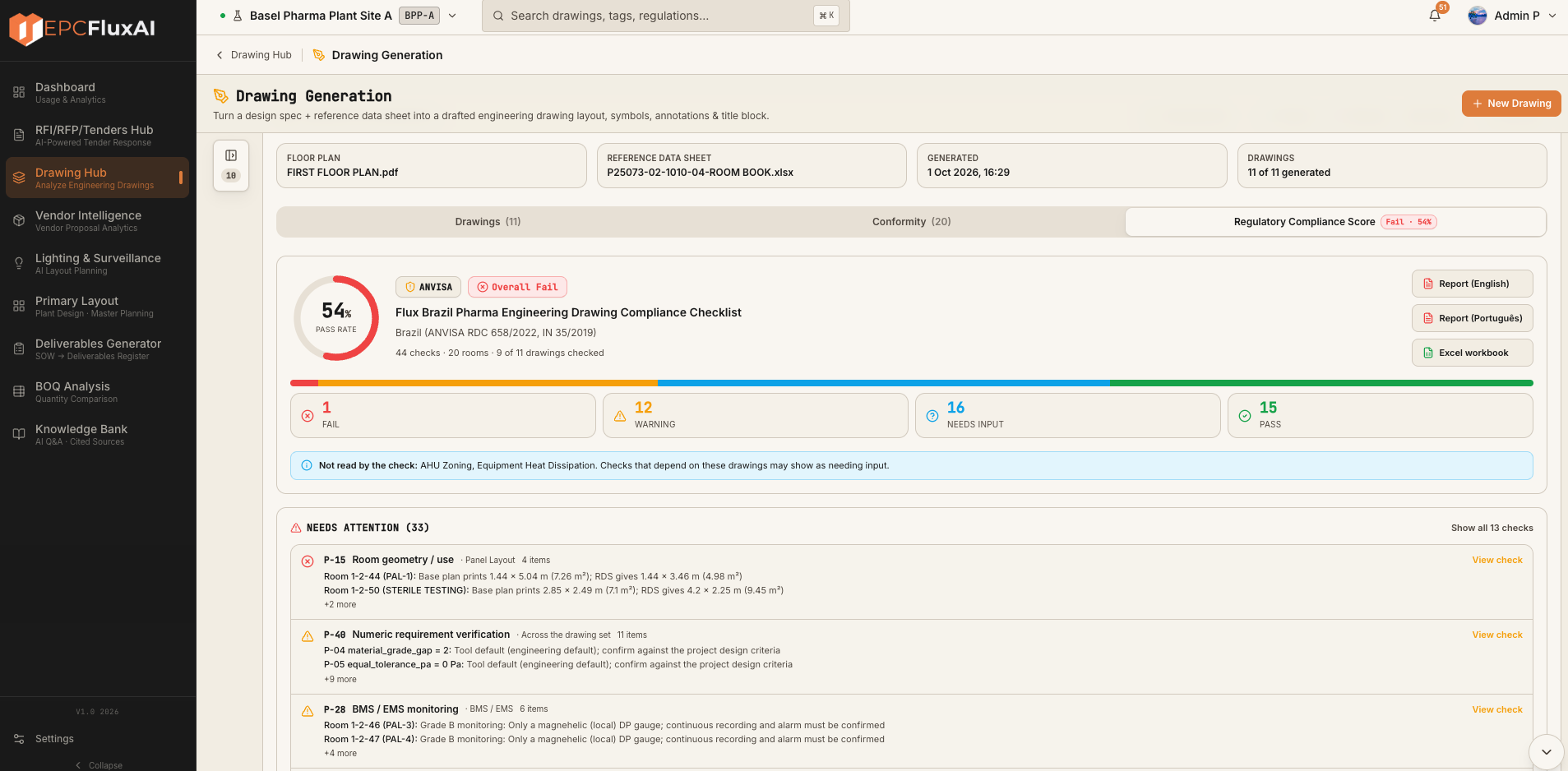
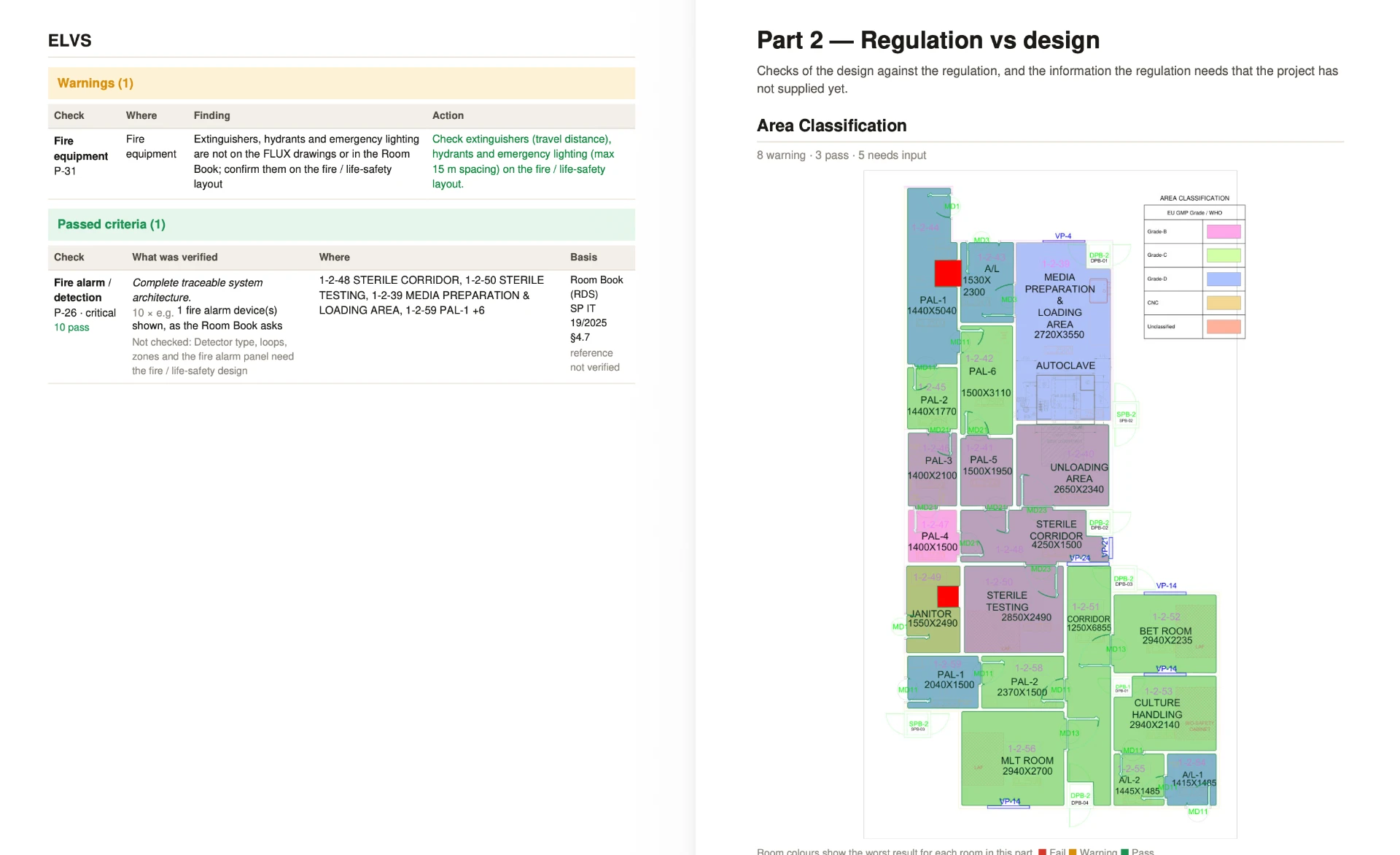
Validate designs and drawings against applicable regulatory, client and engineering requirements, with cited Pass, Warning, Fail and Needs Input findings.
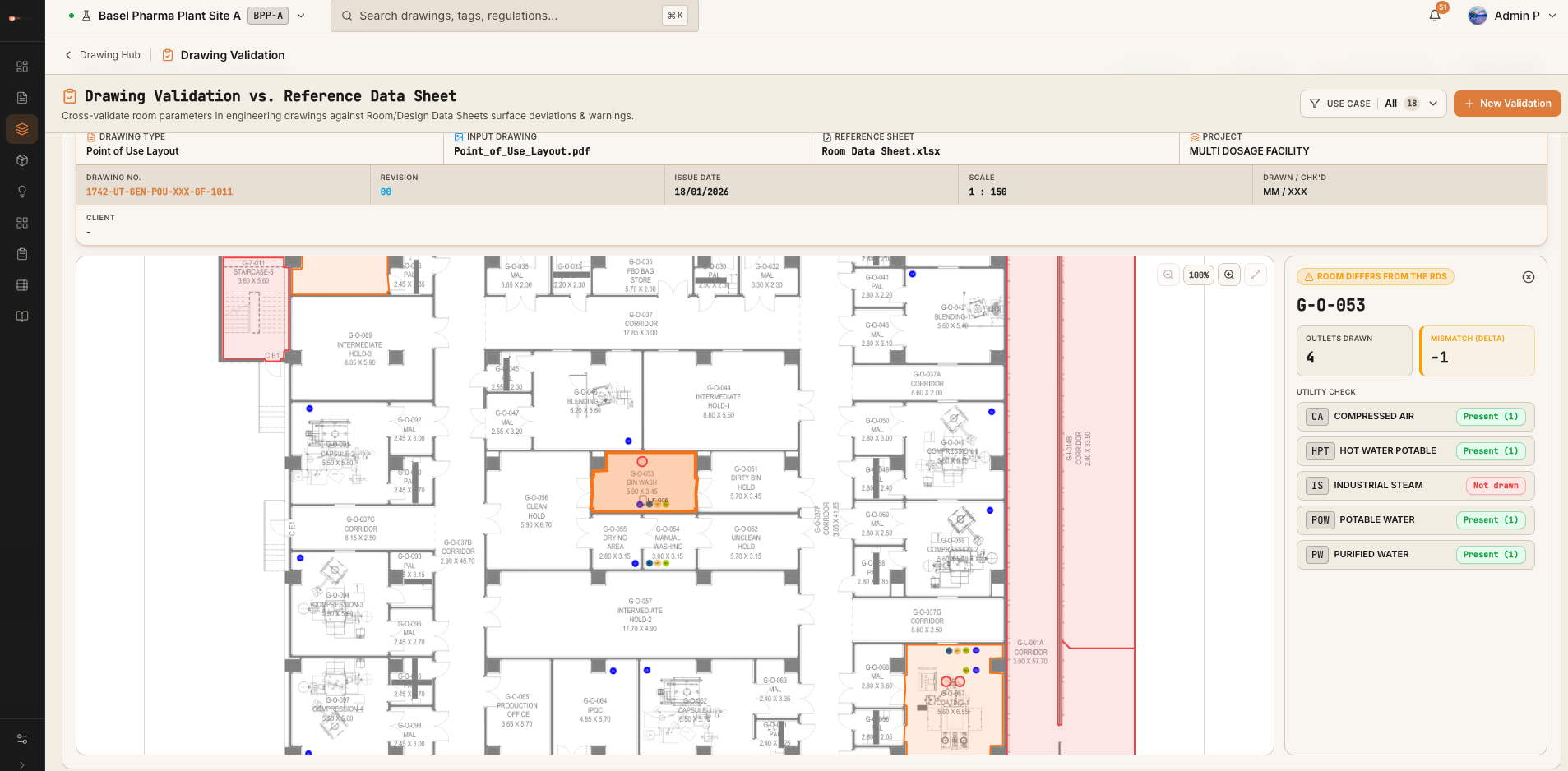
Generate, structure and analyse Bills of Materials from engineering drawings and project information.
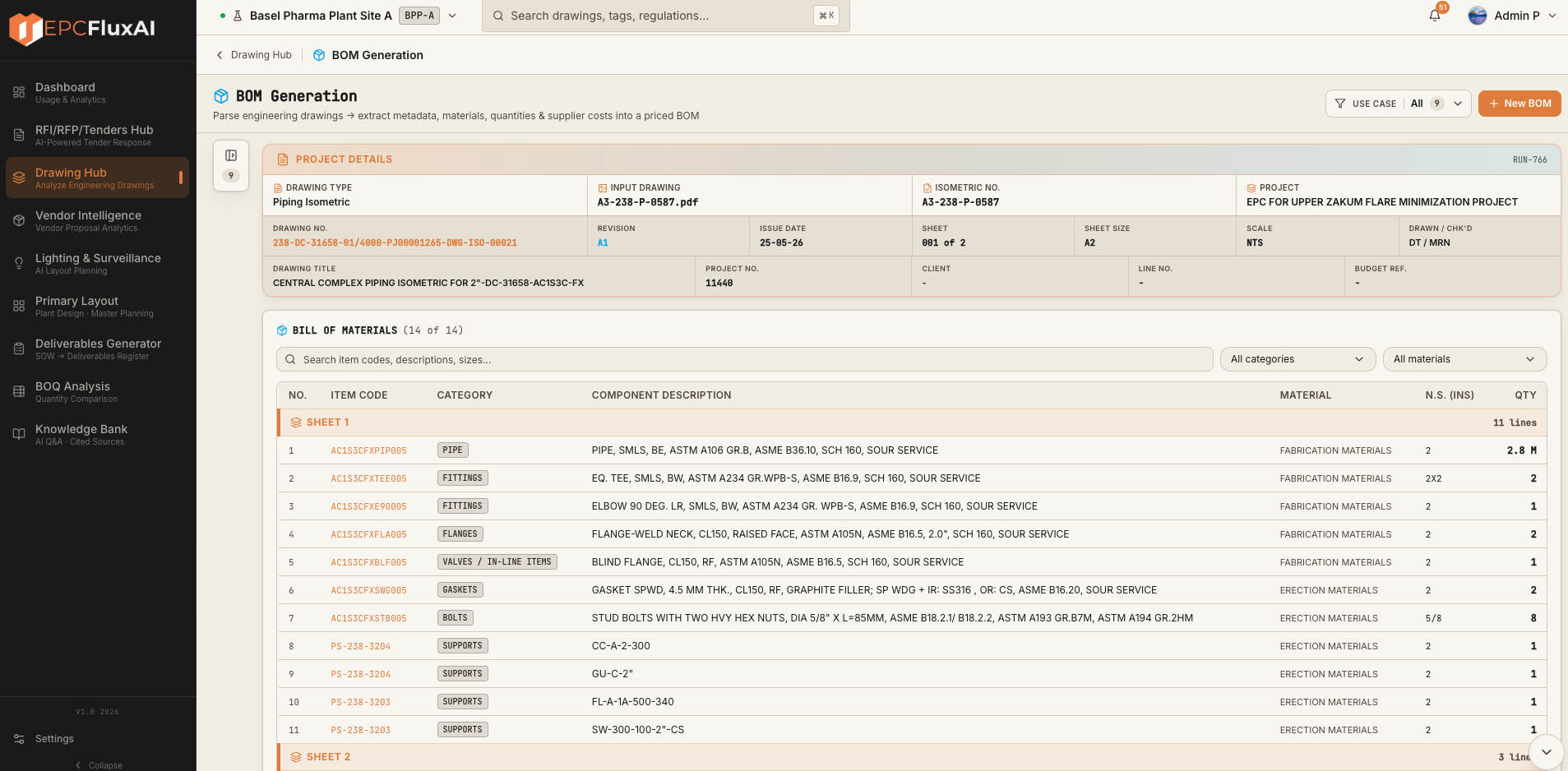
Generate engineering quantities and project estimates from design information, preserving assumptions and revision-level cost impact.
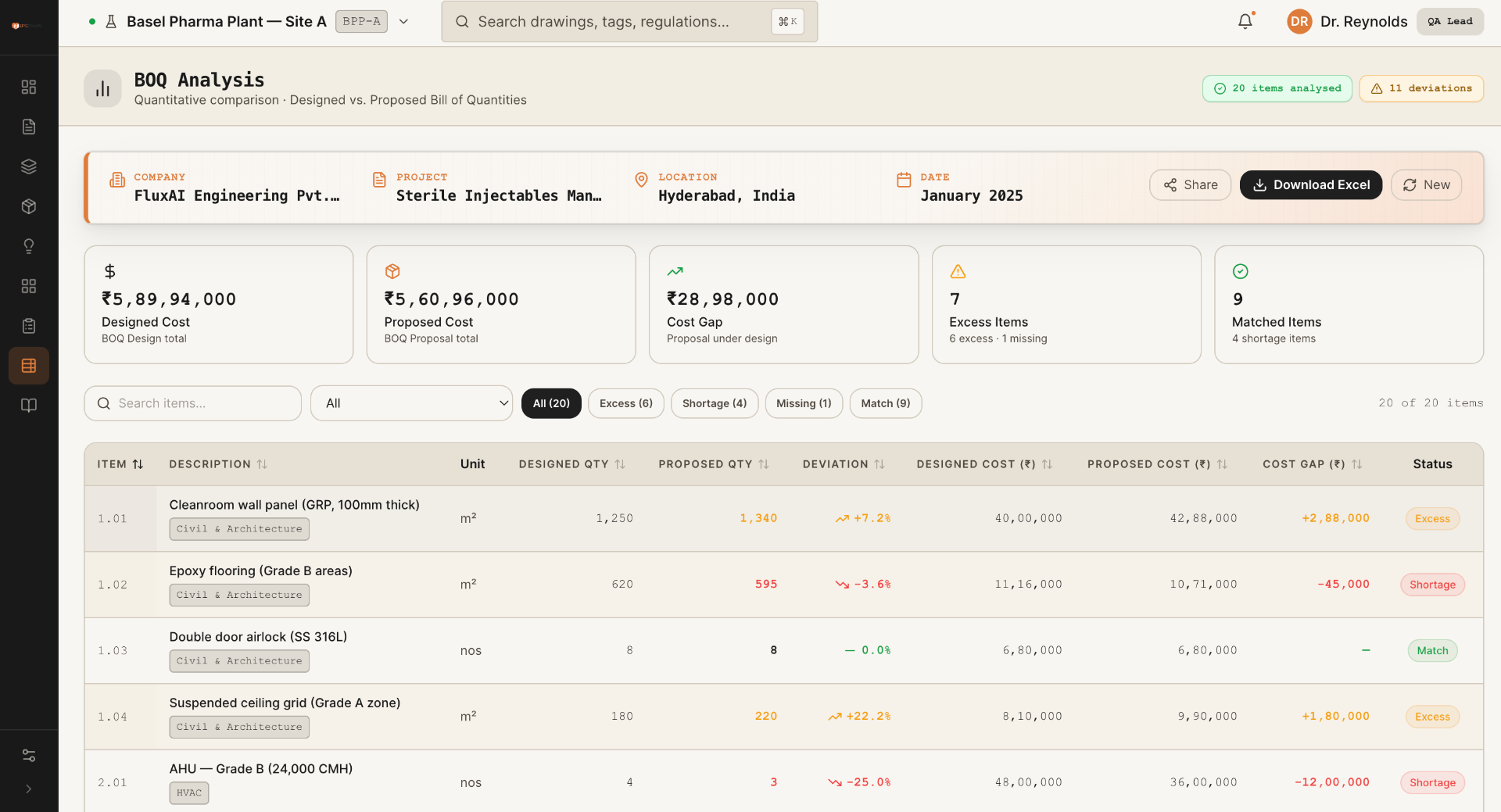
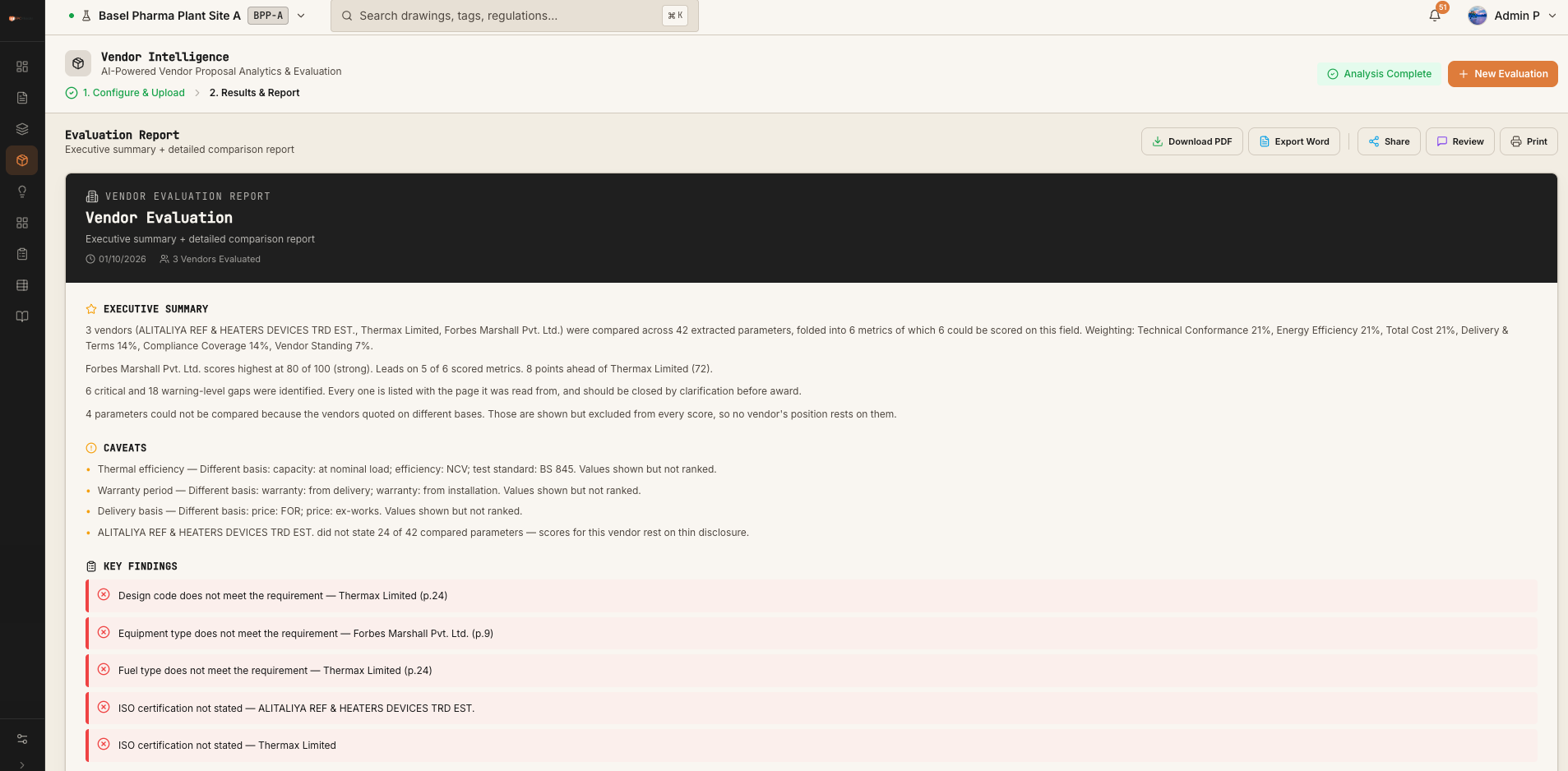
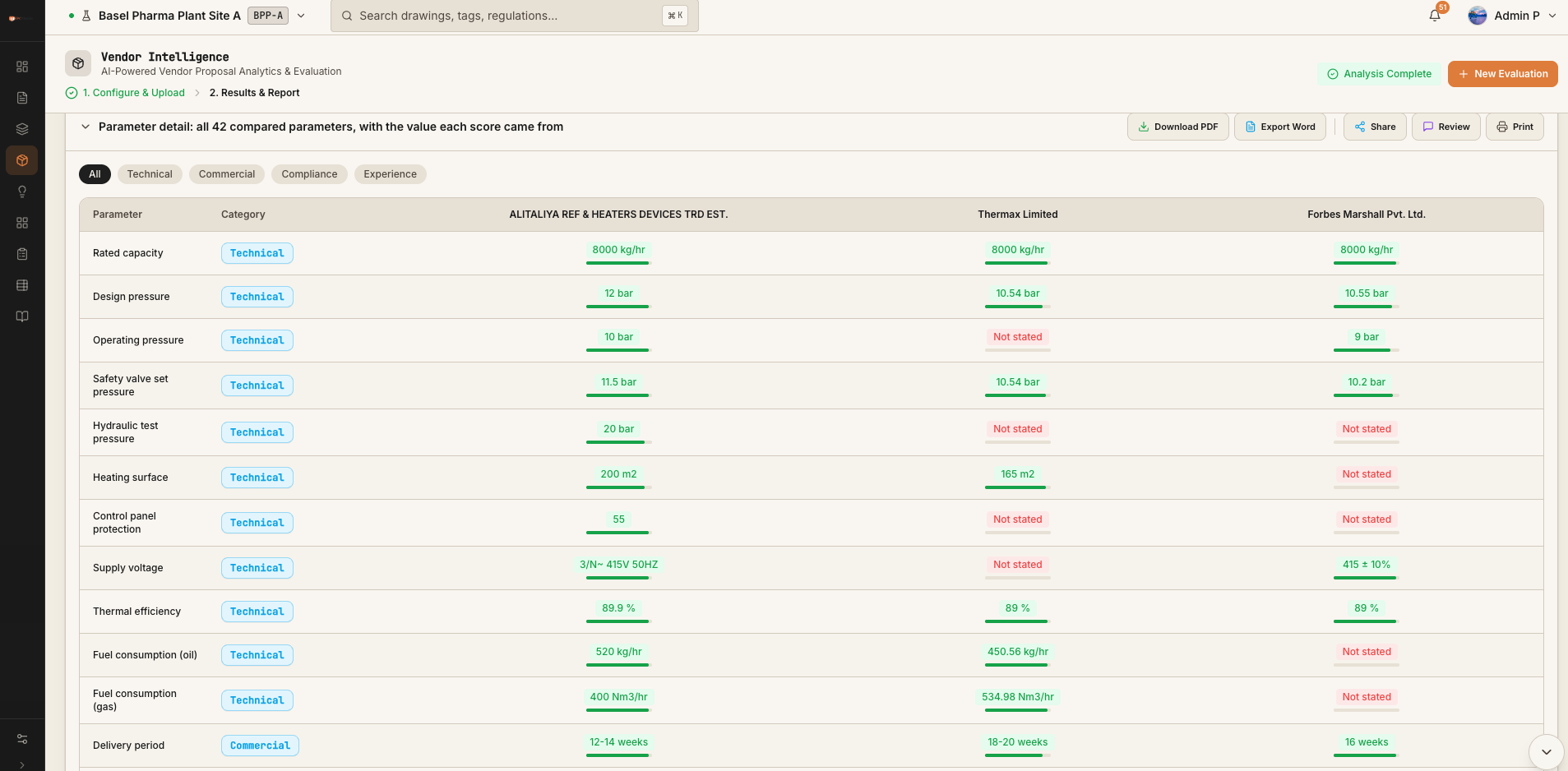
Identify, evaluate and compare vendors and procurement options using traceable engineering and commercial intelligence.
Transform engineering designs and layouts into visual 3D representations for design review, coordination and communication.
Integrated across the FEED workspace
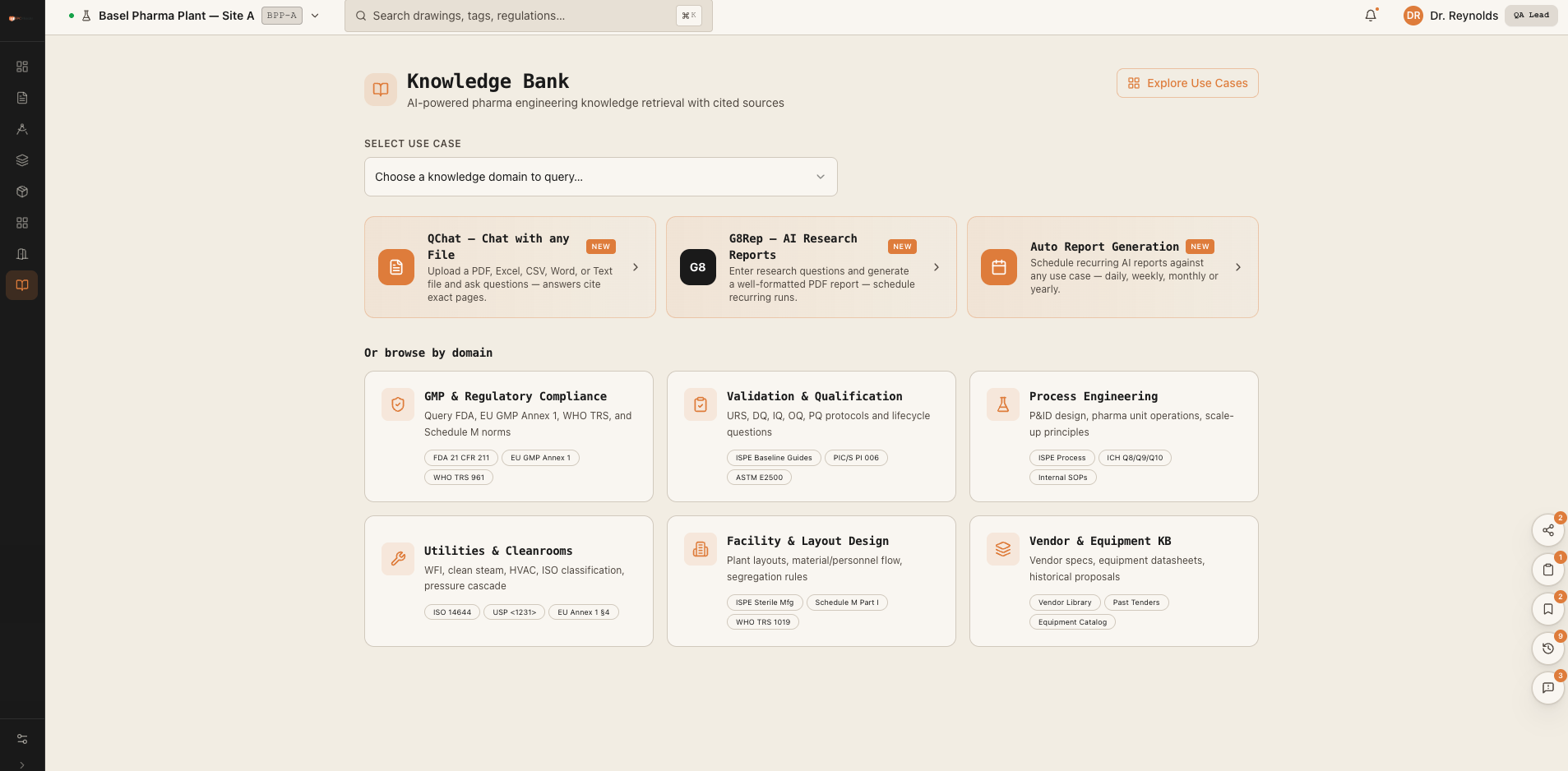
Centralise and intelligently access engineering documents, standards, project knowledge and technical information with cited answers.
Flux AI sits above Revit, AutoCAD and the common data environment, connecting design decisions without disrupting where teams author and coordinate.
Revit, AutoCAD and the common data environment remain where teams author and coordinate.
A governed design basis connects drawings, room data, quantities, standards and approvals.
DWG/DXF output, validation reports, structured BOM and revision evidence return to the team.
Every finding links back to the source clause or project rule.
Clear verdicts focus review on exceptions instead of rereading everything.
Changes propagate from the governed source with an inspectable history.
Automation proposes and validates; accountable engineers retain the final gate.
Design basis
Coordinated drawings
Cited verdicts
Scope and cost
Compare and review
Controlled context
See Flux AI generate, validate, estimate or compare from a real engineering input, with every result ready for engineer review.
Book a live walkthrough